
| Prisjakt |
| Innehåll | ||||||||||||||
|---|---|---|---|---|---|---|---|---|---|---|---|---|---|---|
| Vanliga frågor | ||||||||||||||
| Användning | ||||||||||||||
Huvudmeny
| Läs streckkod
| Sökresultat |
| Produktdetaljer |
| Omdömen |
| Närmaste butiker |
| Relaterade produkter |
| Visa butiker på karta |
| Bakgrund
| |
Hängningar på Galaxy Nexus?
En bug i 4.0.2 relaterat till sökhistoriken kan orsaka omstart. Detta har i sak inget med Prisjakt att göra, utan kan rimligen triggas av vilken app som helst med lång historik i sök (vilket i sig kanske är relativt ovanligt). Uppgradering till minst 4.0.3 löser detta - i väntan på den kan man rensa sin sökhistorik då och då.
Installationen/uppgraderingen blir aldrig klar!?
Detta är ett problem med Market som verkar inträffa slumpmässigt. Oftast löser det sig om du går till Inställningar > Applikationer > Alla > Market och rensar applikationsdata. Boota eventuellt om också.
Hur kan jag visa min uppskattning för denna gratisapplikation?
Ett direkt mail eller en positiv kommentar på Market är alltid kul och nu när det även är möjligt att köpa applikationer i Sverige kan du köpa Zap's beer och göra mig glad!
Hur kombinerar jag filter?
Filter finns i vissa Kategorier - när du valt det första filtret delas knappen i två och med den högra kan du lägga till ytterligare filter, exempelvis "Android-mobiler", "Design: Skjutbar" och "Med FM-radio". Om du saknar något filter kan du framföra det mha Rapportera-fliken på www.prisjakt.nu
Hur jämför jag produkter?
Klicka dig fram under Kategorier tills du ser de produkter du vill jämföra och håll sedan inne den första produkten du är intresserad av - en bock visas då på raden och längst ner visas en räknare och en jämför-knapp. När du valt minst två kan du klicka på jämför-knappen och en dialog med all information om dessa visas. Du kan zooma och panorera på vanligt vis (nypzoom supportas).
Hur kan jag manuellt ställa in min position?
Från och med 1.3.6 finns på försök in inställning för Position som normalt använder din GPS. Vill du använda en annan plats är det enklast att du skriver namnet (helst en stad) och väljer ett av de förslag som söks fram - då hämtas koordinaterna automatiskt. Avancerade användare kan direkt efter namnet göra en nyrad och skrivar in latitud och longitud separerat med ett mellanslag - skriver du något fel kommer GPSen att användas ändå.
Varför är Prisjakt på engelska plötsligt?
Troligen är din telefon inte inställd på svenska. Tidigare versionen struntade i detta, men numera sker val automatiskt mellan svenska, norska och engelska. Om din telefon saknar svenska kan du lägga till det själv genom att ta hem tex applikationen "MoreLocale 2" och skapa den (sv SE). Från och med 1.2.6 kan man även skapa det speciella språket en SE för att få engelska i resten av telefonen, men ändå svenska i Prisjakt. Från 1.3.2 finns en override setting att mixtra med på eget ansvar.
Vad är det för skillnad på de tre servrarna?
De är i grunden till för priser i respektive land. Den svenska kom först och har därför flest produkter, så om du i första hand är intresserad av produkters egenskaper (och förstår lite svenska) kan denna vara bäst. För dem som bara förstår engelska är NZ säkert bäst. Den norska är relativt ny och håller på att byggas upp.
"Tipsa andra" fungerar inte med en del applikationer
Detta är upp till den enskilda applikationen. De listade applikationerna påstår själva att de kan hantera den text som skickas. Vissa kan även använda subject, men några (exempelvis Facebook) reder inte ut det alls. För att det ska fungera måste ni kontakta den som skrivit applikationen i fråga, men upplys mig gärna om att problemet finns.
2.0 (Milestone tex) uppför sig underligt ibland
Det finns många kända brister i 2.0 som är avhjälpta i 2.0.1 - avvakta uppgraderingen. Detta gäller exempelvis att man inte kommer tillbaka till huvudmenyn när man trycker back efter en sökning. 1.0.7 har workaround för kartproblemet.
Varför stämmer inte priset (/lagersaldot) med vad jag ser i den fysiska butiken?
Priset och lagersaldot som visas är det som gäller i webbutiken. Fysiska butiker i samma kedja kan eventuellt ha andra priser och deras lagersaldon finns inte tillgängliga.
Varför används inte GPSen live?
Den används numera (sedan 0.9.9) men ganska sparsamt, för att spara på batteriet. Den senaste kända position utnyttjas och när du visat kartan aktiveras en funktion som försöker förnya den när du flyttar dig längre sträckor. Om du vill tvinga en uppdatering kan du exempelvis välja radar-funktionen en liten stund.
Barcode Scanner fungerar inte eller dåligt
Se till att du installerat den senaste versionen. Kameran på Tattoo har inte autofokus vilket kan göra det väldigt svårt att scanna. Tidigare versioner har problem med tex Galaxys lampa och att scanningen fungerar sämre med tiden. Avinstallation följt av nyinstallation påstås fungera bäst. Fallback: Du kan alltid skriva in streckkodens siffror för hand i sökfältet.
Vad ska jag göra om jag inte lyckas scanna?
Om streckoden är smutsig, skrynklig eller på annat sätt skadad kan du försöka med en identisk vara.
Varför används andra applikationer för tex streckkoder och radar?
Även om jag la väldigt mycket tid på att göra en egen streckkodsscanner så har jag absolut inte samma resurser som exempelvis Google. Det är därför mycket bättre att använda sig av den existerande applikationen som (förhoppningsvis) uppdateras löpande. Dessutom vill du som användare troligen inte ha flera olika implementationer av streckkodsläsare som tar upp plats i din telefon. Att på detta vis utnyttja andra applikationer ingår i hela Android-tänket.
Jag vill se fler produkter och butiker!
Uppdatering och tillägg pågår löpande. Besök www.prisjakt.nu eller skicka förslag till support@prisjakt.nu så att det tydligt framgår vad du saknar.
Streckkoden jag läste in saknas - vad göra?
I dagsläget loggas dessa misslyckaden för framtida bruk. Det finns planer att låta er användare föreslå saknade streckkoder till existerande produkter.
Butikens placering på kartan stämmer inte - vad göra?
I dagsläget kan du kontakta support@prisjakt.nu. Det finns planer att låta er användare föreslå justerade GPS-koordinater.
Butiker med åäö i blir fel på kartan
Google Maps 3.1.1 verkar ha detta problem, uppgradera till senaste (just nu 3.1.2) så löser det sig.
Produkten jag sökte finns på Prisjakt.nu, men visas inte i Android
I dagsläget visas inte okategoriserade produkter eftersom de har en helt annan struktur. Stay tuned...
Jag vet hur man kan göra applikationen snyggare - vad göra?
Skicka explicita och kreativa förslag till mig.
Jag har en fantastisk idé till förbättrad funktion!
Trevligt, skicka den till mig så ska jag se om det går att fixa.
Varför kan jag inte länge spara butiker till addressboken?
I 1.x kan man bara lägga till saker i addressboken på ett väldigt rått sätt genom att applikationen har full access till den. I 2.x och senare finns ett annat sätt som applikationen numera använder. Tyvärr är det omöjligt att gå båda vägarna utan att alltid kräva full access. Idealiskt vore om man selektivt kunde tillåta denna funktion, men det är i dagsläget inte möjligt - ni som läser detta: sätt en stjärna på Issue 6266 på Google Code så att detta kan lösas i en framtida version.
Användning
Tips: Överlag kan du hitta en hel del finesser med hjälp av att långklicka på de resultat du får upp.
Huvudmeny
Tryck på Sök och knappa in det du är intresserad av så visas en lista på matchande produker. Observera att listan som fälls ut under inmatningsfältet automatiskt lär sig av dina tidigare sökningar och val. Du kan även trycka på telefonens tangent med förstoringsglaset.
Kategorier låter dig bläddra i hierarkin ungefär som på websiten. Antalet produkter i varje kategori framgår och i många fall är det även möjligt att applicera fördefinierade filter på det som visas. Produktlistorna hämtas successivt 20 i taget och sortering kan styras via menyknappen.
Trycker du på Läs streckkod så kommer du att få möjlighet att scanna in en streckkod. Detta kräver dock en separat applikation som heter Barcode Scanner (eller likvärdig) - om du inte har den installerad så får du hjälp med att hitta den i Market.
Tyck till låter dig skicka ett mail till mig. Jag kan tyvärr inte skicka svar på det ni skriver på Market, men givetvis läser jag där också.
Hjälp & tips läser du just nu.
Genom att trycka på Menu kan man bland annat justera sina personliga Inställningar.
Var är jag? försöker helt enkelt lista ut var du befinner dig. Detta kräver antingen GPS eller "Wireless networks" (masttriangulering) - om du inte har det påslaget så visas menyn där du kan justera det. När detta är påslaget är det möjligt att söka efter din närmaste butik.
Läs streckkod
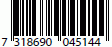 För att scanningen ska fungera tillfredställande krävs bra ljus - lyckligtvis har man det oftast i butiker. OBS: Från version 3.0 av Barcode Scanner används en större yta vilket enligt uppgift fungerar bättre än tidigare versioner. Se till att scanna "rätt" kod eftersom de normalt är registrerade med EAN-koder (13 siffror med den första lite framför och övriga i 2 grupper), men vissa affärer kan klistra på andra specialkoder för eget bruk. På DVD-filmer är det normalt den som sitter på baksidan du ska använda. Röda 2 för 1-lappar och liknande som kan sitta på framsidan fungerar oftast inte.
Sökresultat
I denna lista visas de träffar du fick tillsammans med betyg, kategori och pris. Klicka på den du är intresserad av.
Tips: Genom att långklicka på en träff får du upp en meny där du kan välja att titta på en större bild, prishistorik, egenskaper, närmaste butiker och relaterade produkter. Om du trycker på Menu får du möjlighet att sortera om dina träffar. Notera att eftersom den visade listan är begränsad i längd och denna omsortering görs i serveränden så kan du få andra träffar efter omsorteringen.
Produktdetaljer
Bild, rankning, kategori och betyg visas överst och nedanför listas affärerna med betyg och eventuell lagerinfo i stigande prisordning.
Klicka på en butik för att gå till dess website (om sådan finns). Klicka på bilden för att få se produktens egenskaper,
Tips: Genom att långklicka på bilden får du upp en meny där du kan välja att titta på en större bild, prishistorik, omdömen, närmaste butiker och relaterade produkter.
Omdömen
Listan påminner om produktdetaljer, men visar i stället betyg och kommentarer för den aktuella produkten.
Närmaste butiker
Listan påminner om produktdetaljer, men visar i stället fysiska butiker sorterade efter avstånd från din nuvarande position. Notera att valet av fysiska butiker i stället för postorder i vissa fall påverkar priset.
Tips: Om du långklickar på bilden finns även alternativet att Visa butiker på karta. Genom att långklicka på en butik kan du ringa till den, visa den på kartan eller visa riktning i Radar. När du visar på kartan får du upp en liten skylt med addressen - klicka på skylten och välj sedan att navigera dit. Om du väljer radar så kommer du att få upp en radarliknande bild där du ser riktning och avstånd till butiken så att du kan lätt kan gå dit från tex parkeringsplatsen. Notera att detta kräver en separat applikation från Market (du får hjälp att hitta den vid behov) och att vissa koordinater ännu inte är helt exakta.
Relaterade produkter
På ungefär samma sätt som sökresultatet visas några produkter som relaterar till den produkt du valde tidigare.
Visa butiker på karta
Här presenteras samtliga butiker från listan på "närmaste" grafiskt utlagda på en sverigekarta. Din egen position visas av en android-symbol och varje butik symboliseras av en prisjakt-symbol med det aktuella priset på en liten skylt nedanför. Zooma och panorera som vanligt och klicka sedan på den butik du är intresserad av så får du upp en meny där du kan välja att besöka, ringa eller visa radar.
Tips: För lägen då butiker ligger nära varandra finns även en inzoomningsmöjlighet i menyn.
Bakgrund
Jag började knåpa på denna applikation eftersom det inte finns någon
bra prissökningstjänst för Sverige till Android och jag kände att det
i första hand var produkter på Prisjakt.nu som intresserade
mig. Det visade sig snabbt att personerna på Prisjakt var väldigt
positivt inställda till denna tanke så därmed gick det hela framåt ganska fort.
Kolla även mina andra appar som finns på Market.